
Product reference
English | Tiếng Việt | 中文 | 日本語 | 한국어
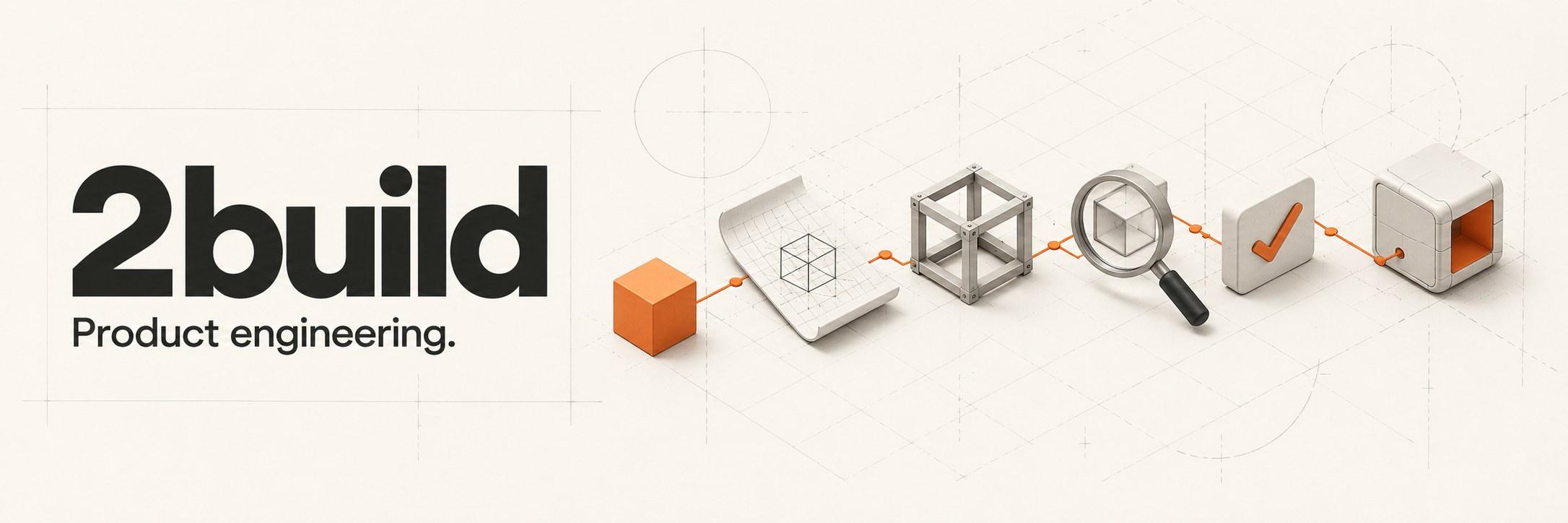
Review the prototype. Let Autopilot do the rest.
Start with Autopilot · Read the docs
2build helps your coding agent finish a feature. Give it a requirement, review the UI prototype, then let Autopilot write code, check it and fix issues.
For a small UI task, aim to see a prototype in ~5 minutes; timing depends on the task, model and project.
- Quality: code is reviewed, tested and fixed before handoff.
- Productivity: the agent handles each step without constant reminders.
- Efficiency: adjust the prototype early to reduce rework.
Works with Claude Code, Codex, Antigravity, OMP and Grok, and any coding agent that supports Claude Code skills.
A 2found product. Previously named babysit; the bbs CLI, bbs: skills and existing .babysit state remain compatible. See branding and naming.
</a>
Install with one prompt
Paste this into your coding agent with terminal access:
Install 2build for the coding agent I am using. Follow
https://raw.githubusercontent.com/2found/2build/main/docs/install.md. Detect my OS and
current agent, reuse a working bbs installation or install the CLI, then install the
skill pack for this agent only. Verify bbs --version and the installed skills; report
any missing prerequisite instead of claiming success. Tell me whether I need to restart
and give me the exact Autopilot invocation for my agent to run my first small task.
You need a supported coding agent and its existing model access. Claude Code and Codex also need their CLI on PATH. 2build has no separate model account to configure; your agent's normal usage charges apply. Orca is only required for Foreman. See installation and troubleshooting.
<details> <summary>Prefer terminal commands? Homebrew on macOS or Linux</summary>brew tap 2found/2build https://github.com/2found/2build
brew install 2found/2build/bbs
bbs installbbs install auto-detects Claude Code, Codex and Antigravity. For OMP, Grok and other compatible agents, follow the skill installation guide. Use bbs install claude, bbs install codex, or bbs install antigravity to select one. Restart that agent after installation. Without Homebrew, use a release archive; on Windows, use WSL.
Start a new project
2build starters provides versioned
project templates with an agent harness, architecture guidance, tests and local QA.
The first template is hono-bun: a Bun/Hono API with TypeScript and Zod.
bbs bootstrap and bbs starter check are available in CLI 1.95.0+. The stable
starter is ready to download directly from GitHub. Follow the
starter quick start for commands and prerequisites.
</a>
Try your first ticket
-
Restart your agent, open a Git repo and choose a small bug or feature with a clear success check. Autopilot works and commits on your current checkout; create your preferred branch first if you want isolation.
-
Invoke the skill in agent chat, replacing the example with your task:
Agent Example Claude Code /bbs:autopilot "Add a saved-search screen. Show a prototype first, then implement, review and QA."Codex $bbs:autopilot "Add a saved-search screen. Show a prototype first, then implement, review and QA."OMP /autopilot "Add a saved-search screen. Show a prototype first, then implement, review and QA."Grok /bbs:autopilot "Add a saved-search screen. Show a prototype first, then implement, review and QA."Antigravity / other compatible agents Ask it to use the installed autopilotskill for your task. -
Review the plan and, for UI work, open the prototype. Adjust the layout, flow or scope here. When Autopilot returns a
/goalblock, paste it into the same agent to start execution. For an agent without goal mode, include--stop-after=planin your first request to hold this review checkpoint, then follow the native resume instruction in its handoff. -
Let Autopilot implement, review, fix, test and run QA. It returns a local commit and evidence when the ticket passes its completion gates; a blocked run names the missing input. After a restart, give it the ticket ID from the handoff to resume.
No Orca, new worker session or project configuration is needed for this first ticket. You choose the session's model before starting. Inspect progress and recover a session.
Keep building with 2found
When your product needs more, choose the tool for the next job:
| Your next step | Explore |
|---|---|
| Add an AI agent to your product | Soot, powered by 2agent — agent as config — add config to your source code. Add an AI teammate. |
| Deploy what you built | 2server — deploy and operate apps on infrastructure you own. |
| Help customers discover your product | 2market — a marketing workspace in development, bringing product context, content and channels into one flow. |
Start with 2build for the engineering work; explore these products when the need comes up.
Pick the work, not the job title
Autopilot routes a task to one of five product-team archetypes. You can also name the workflow or invoke a skill directly.
| Archetype | Use it to |
|---|---|
| Prototyper | Validate a risky idea before investing in production code. |
| Builder | Deliver a feature or bug fix through review and QA. |
| Sweeper | Remove weight or improve a measured hot path while preserving behavior. |
| Grower | Improve copy, conversion or a measurable growth experiment. |
| Maintainer | Diagnose failures and harden reliability, security or dependencies. |
Browse the skill index for individual skills and workflow examples.
</a> </a>
Larger projects: Foreman
For dependent tickets and supervised workers, Foreman uses Orca to plan a project, isolate child tickets in worktrees, dispatch ready work and run project-wide QA. It presents the parent plan/design for review before production dispatch; explicit --auto delegates that review. The configured finish policy controls delivery.
Skills and CLI
Skills are the agent-facing workflows; bbs is the companion CLI they use. /bbs:foreman runs the project coordinator; bbs foreman manages model policy lookups, durable Foreman records, contracts, and reports. /bbs:autopilot runs the one-ticket workflow; bbs autopilot exposes its checkpoint and state helpers. bbs ticket owns ticket identity, DAG relations, evidence, test surfaces, delivery, and cleanup.
Useful CLI entry points:
bbs dashboard
bbs foreman report <parent-ticket>
bbs ticket dag <parent-ticket>
bbs autopilot snapshot --json
bbs autopilot recover --json
snapshot reads canonical ticket state and gate evidence; recover adds bounded artifact excerpts for resuming work.
Run bbs <subcommand> --help for usage. More detail: companion CLI, profiles, and operations.
Semantic decisions
semantic-decision makes task sizing, complexity, routing, test impact and review
judgments an explicit reusable skill step. Its default provider is the current
LLM; no configuration or extra model process is needed. To use Cloudflare:
bbs config set semantic_decision_provider cloudflare
bbs config set semantic_decision_model clef-flash  # or clef
Set CLOUDFLARE_ACCOUNT_ID and CLOUDFLARE_API_TOKEN in the environment or
~/.babysit/.env. Only user configuration selects the provider; project policy
can restrict external inference. Cloudflare errors or uncertain answers fall
back to the current LLM. See the skill
and contract. See
settings without a dashboard control
for config paths, defaults, project limits and human-review behavior.
Documentation
Install and troubleshoot · Choose a skill · Inspect progress · Coordinate a project
For coding agents, llms.txt links directly to the Markdown guides and runtime contracts.
Repository layout
bbs— the multicall binary (gitignored build output;go build -o bbs ./cmd/bbs). Hooks are compiled subcommands,bbs hooks <name>..claude/skills/— agent skills and workflow references.internal/— Go CLI and services.web/— dashboard SPA, embedded in release builds.tests/,docs/— verification suites and user documentation.
Telemetry
Skill usage is recorded locally as JSONL under ~/.babysit/analytics/; telemetry is the primary feedback channel for unattended runs.
License
MIT.